Arthur Ghelis

Workflow Solutions: Improve Productivity by Digitizing Documents

No comments

There is one workflow solution that is designed specifically to help businesses work smarter: the digitization of hard copy documents. This digital document filing approach is all about improving productivity around the office. Digitizing documents will make life much easier on your day-to-day operations and employee collaboration efforts. Let’s take a closer look at some of the ways workflow solutions will boost productivity.

No more filing and shredding hard-copy documents

Searching for a physical document in a filing cabinet can be tedious and time consuming. Utilising a searchable database makes it easy to access documents with only few clicks of the mouse. With this setup, there’s no more need to manually file or spend time shredding piles of documents.

Digital documents are easy to access

As mentioned, accessibility to documents is quick and easy when your files are digitized. Once employees get the hang of a digital system, it will be much faster than sifting through a physical filing system. Another perk to this workflow solution is accessibility for mobile workers. For all your workers on the road and in the field, they too can access these digitized documents from any location with an Internet connection.

Collaboration is easier than ever

We all know how important it is for employees to collaborate. Digitizing your documents will make it easy to promote collaboration within your company. Employees in your office can access documents at any time, even when your mobile employees are working on the same documents within the system. This digital system also increases the opportunities for departments and project groups to easily share and update documents amongst each other with ease. For example, if one of your employees is out of town for a meeting, that employee can log in remotely to view updates that were made to a document without needing to review back and forth messages through emails or faxes.

The process of digitizing documents is simple

Now that you know some of the major benefits to digitizing your documents, it’s time to scan and capture your existing hard copy documents. With Nuance eCOPY, Orion will carry out this process without any headaches or stress. For more information about digitizing documents or any of our workflow solutions, contact us today.

Arthur GhelisWorkflow Solutions: Improve Productivity by Digitizing Documents
read more

OEM, Remanufactured, and Compatible Toner — What’s the Difference?

No comments

We get it—picking out the right toner can be confusing at times. When dealing with printer consumables, such as toner, you need to match up the right ink cartridge with your particular device. But it goes beyond just one option per device make and model. With so many different manufacturers offering printer consumables at various price points, this is where the purchase decision gets difficult. With that in mind, take a look at the following breakdown of pros and cons of some of the different toner options that are out there.


OEM Toner

Original Equipment Manufacturer (OEM) toner cartridges are made by the original manufacturer of your device. This is the toner that came with the device on day one.

Pros: OEM toner is the highest quality toner you can find for your device. It may also help your device last longer since this toner is specifically designed to work with this device.

Cons: It’s the most expensive toner option out there. It’s also not as environmentally friendly as other toners, since no OEM toners come from recycled parts.


Remanufactured Toner

This is toner made up of some pre-used parts that have gone through a thorough recycling process. All cartridges are meticulously refurbished to meet the standards of OEM toner.

Pros: Remanufactured toner tends to be very affordable—especially in comparison to OEM toner. It’s also an eco-friendly option with a light carbon footprint.

Cons: At times, not all remanufactured toner is held to the same standards as OEM toner, so be sure to work with a reputable company to ensure that you receive high-quality parts.


Compatible Toner

Compatible toner cartridges are created by third-party, independent companies. These are usually overseas products created from all new parts.

Pros: Compatible toner is usually the most affordable option on the market when it comes to printing consumables.

Cons: Quality control can be an issue with international ink manufacturers, as there are no internationally enforced quality assurance measures to hold manufacturers accountable for their products. Therefore, it’s important to ensure that you are using a top-of-the-line manufacturer and trusted vendor when going with compatible toner.


Understanding the pros and cons of each type of toner makes the purchasing decision a little easier. For more information on toner or any of our other consumables, contact us today.

Arthur GhelisOEM, Remanufactured, and Compatible Toner — What’s the Difference?
read more

Mandatory Data Breach Notification Laws Are Coming…Are You Ready?

No comments

In February, for the first time in Australia, entities subject to the Privacy Act 1988 (Cth) (the Privacy Act) will have a mandatory obligation to report what are called ‘eligible data breaches’ to both the Office of the Australian Information Commissioner (OAIC) and any individuals who may be potentially affected by a data breach.

The following FAQs will help to understand what this means for your business.

When do the changes commence?

22 February 2018

What do the changes do?

The changes introduce a mandatory data breach notification scheme into the Privacy Act. Under this scheme, it is mandatory for entities and agencies subject to the Privacy Act to notify individuals when a data breach occurs which is likely to result in serious harm to those individuals. The OAIC must also be notified of such data breaches.

Who do the changes apply to?

The changes apply to Commonwealth government agencies and private sector organisations who are currently subject to the Australian Privacy Principles under the Privacy Act.

This includes private sector organisations, including not-for-profits, with annual (group) turnover of more than $3 million. It also includes small businesses that may be earning $3 million or less where they are health service providers involved in trading in personal information, contractors that provide services under a Commonwealth contract or credit reporting bodies, amongst others.

Entities already exempt from the operation of the Australian Privacy Principles remain exempt from the changes.

So, for example, the changes apply to private schools or companies with turnover of more than $3 million per year, but not to local councils or state government agencies.

What are some examples of data breaches that could affect an entity?

Examples of a data breach include when:

  • A device containing customers’ personal information is lost or stolen
  • A database containing personal information is hacked
  • Personal information is mistakenly provided to the wrong person

The obligation to notify the OAIC and affected individuals as a result of the changes to the Privacy Act is only triggered in circumstances where a data breach constitutes an ‘eligible data breach’, as further described below.

What should an entity do if it becomes aware of a data breach?

If you are an entity that is subject to the Australian Privacy Principles in the Privacy Act and you become aware that there are reasonable grounds to believe that there has been an eligible data breach, you are required to promptly notify any individuals at risk of being affected by the data breach and the OAIC.

(a) Eligible data breach

An ‘eligible data breach’ occurs where there is unauthorised access to, or unauthorised disclosure of personal information or personal information is lost in circumstances where unauthorised access to, or unauthorised disclosure of the information is likely to occur; and a reasonable person would conclude that the access or disclosure would be likely to result in serious harm to any of the individuals to whom the information relates.

In this test, ‘likely’ is to be interpreted to mean more probable than not and ‘reasonable person’ is to be taken to mean a person in the entity’s position who is properly informed, based on information immediately available or following reasonable inquiries or an assessment of the data breach. Importantly, the OAIC’s guidance states that the reasonable person is not to be taken from the perspective of an individual whose personal information was part of the data breach or any other person, and, generally, entities are not expected to make external enquiries about the circumstances of each individual whose information is involved in the breach.

(b) “Likely to result in serious harm”

An assessment as to whether an individual is likely to suffer ‘serious harm’ as a result of an eligible data breach depends on, among any other relevant matters:

  • The kind and sensitivity of the information subject to the breach
  • Whether the information is protected and the likelihood of overcoming that protection
  • If a security technology or methodology is used in relation to the information to make it unintelligible or meaningless to persons not authorised to obtain it – the information or knowledge required to circumvent the security technology or methodology
  • The persons, or the kinds of persons, who have obtained, or could obtain, the information
  • The nature of the harm that may result from the data breach.

The Explanatory Memorandum for the amendments recognises that potential forms of serious harm could include physical, psychological, emotional, economic and financial harm as well as harm to reputation.

(c) Remedial action

There are a number of exceptions to the notification obligation, including importantly where an entity is able to take effective remedial action to prevent unauthorised access to, or disclosure of, information when it is lost or to prevent any serious harm resulting from the data breach. Where such remedial action is taken by an entity, an eligible data breach will not be taken to have occurred, and therefore an entity will not be required to notify affected individuals or the OAIC.

(d) Suspicion of an eligible data breach

If an entity merely suspects that an eligible data breach has occurred but there are no reasonable grounds to conclude that the relevant circumstances amount to an eligible data breach, the entity must undertake a ”reasonable and expeditious assessment” of whether there are in fact reasonable grounds to believe that an eligible data breach has occurred.

An entity must take reasonable steps to complete such an assessment within 30 days after the day it became aware of the grounds that caused it to suspect an eligible data breach. We note that the OAIC’s guidance suggests that the 30 days should be treated as a maximum time limit for completing an assessment, and entities should endeavour to complete the assessment in a much shorter time frame.

Where entities jointly or simultaneously hold the same record of information in respect of which an eligible data breach is suspected to have occurred, only one assessment is required to be undertaken. Where an entity fails to realise that there are reasonable grounds to suspect that an eligible data breach has occurred, or fails to undertake an adequate assessment, the OAIC may direct the entity to notify individuals affected by the breach.

How long does an entity have to notify of an eligible data breach and what form does the notification take?

Where an entity is aware that there are reasonable grounds to believe that there has been an eligible data breach (whether it forms such an awareness following an assessment, as discussed above, or otherwise), the entity must as soon as practicable:

Prepare a statement that, at a minimum, contains:

  • The entity’s contact details. If relevant, the identity and contact details of any entity that jointly or simultaneously holds the same information in respect of which the eligible data breach has occurred, for example, due to outsourcing, joint venture or shared services arrangements may also be provided. If this information is included in the statement, that other entity will not need to separately report the eligible data breach
  • A description of the data breach
  • The kinds of information concerned
  • The steps it recommends individuals take to mitigate the harm that may arise from the breach. (While the entity is expected to make reasonable efforts to identify and include recommendations, it is not expected to identify every possible recommendation that could be made following a breach)
  • Provide a copy of this statement to the OAIC
  • Take such steps as are reasonable in the circumstances to notify affected or at risk individuals of the contents of the statement. Individuals may be notified by the mode of communication normally used by the entity, or if there is no normal mode of communication, by email, telephone or post. If direct notification is not practicable, the entity must publish the statement on its website and take reasonable steps to publicise its contents.

What constitutes a ‘practicable’ time frame will vary depending on the time, effort or cost required to comply with the above requirements.

What are the fines that an entity might face if it is subject to an eligible data breach?

Where an entity experiences an eligible data breach, the occurrence of that data breach in and of itself is unlikely to result in the entity facing penalties. Rather, a failure to report an eligible data breach will be considered an interference with the privacy of an individual affected by the eligible data breach. Under the Privacy Act, this means that a failure to notify affected individuals of an eligible data breach could be the subject of a complaint to the Privacy Commissioner.

Serious or repeated interferences with the privacy of an individual can give rise to civil penalties of up to $2.1 million. (We note that company directors or management will not be personally liable for such serious or repeated interferences.)

Are there any new rules relating to the security of personal data introduced by the changes?

There are no new requirements regarding the security of personal data. However, the changes primarily supplement Australian Privacy Principle 11 which requires entities who hold personal information to take reasonable steps to protect personal data from misuse, interference and loss, and from unauthorised access, modification or disclosure.

What sort of policies should an entity have in place to ensure compliance with the changes? 

The OAIC recommends that entities have an up-to-date data breach response plan in place to ensure that they are able to respond to suspected data breaches quickly. The OAIC’s Data breach notification — A guide to handling personal information security breaches and Guide to developing a data breach response plan (which the OAIC are currently updating) provide handy guidance in managing suspected data breaches and developing policies.

What are other entities doing about the changes to get themselves ready?

Many entities are:

  • Getting to know what data they have and where it is kept. It is important to have a data strategy in place that documents what data your company captures, who it relates to and where it is kept to ensure that you are complying with your legal and regulatory obligations relating to that data
  • Looking at their existing data privacy and security policies and procedures to make sure that they are in a position to respond appropriately and quickly in the event of a data breach. This should include a data breach response plan which works across the organisation and quickly brings the right people together to respond.

It is also important that an entity’s personnel are aware of the changes. Personnel need training, including to identify when an eligible data breach may have occurred and how to follow an entity’s policies and procedures on what to do next. Importantly, teams such as IT, legal, public relations, and management will need to know how to work effectively together to investigate, manage and remediate a data breach.

Some entities are looking at their relationships with suppliers who process personal information on their behalf and amending and bulking up their privacy clauses. These privacy clauses should ensure that a supplier provides assistance if there is a data breach which is on the supplier’s side or systems. They are also developing polices that are supplier facing to ensure that suppliers understand their role and what is expected of them in the event of a data breach.

Finally, some entities are auditing and strengthening their cyber security strategies and tools to avoid and prevent data breaches. To find out more please contact your account manager or call is on 1300 567 456 for a free audit.

Arthur GhelisMandatory Data Breach Notification Laws Are Coming…Are You Ready?
read more

Orion Print Management Is Now Gold Partners With HP Australia!

No comments
HP-Gold-Partner

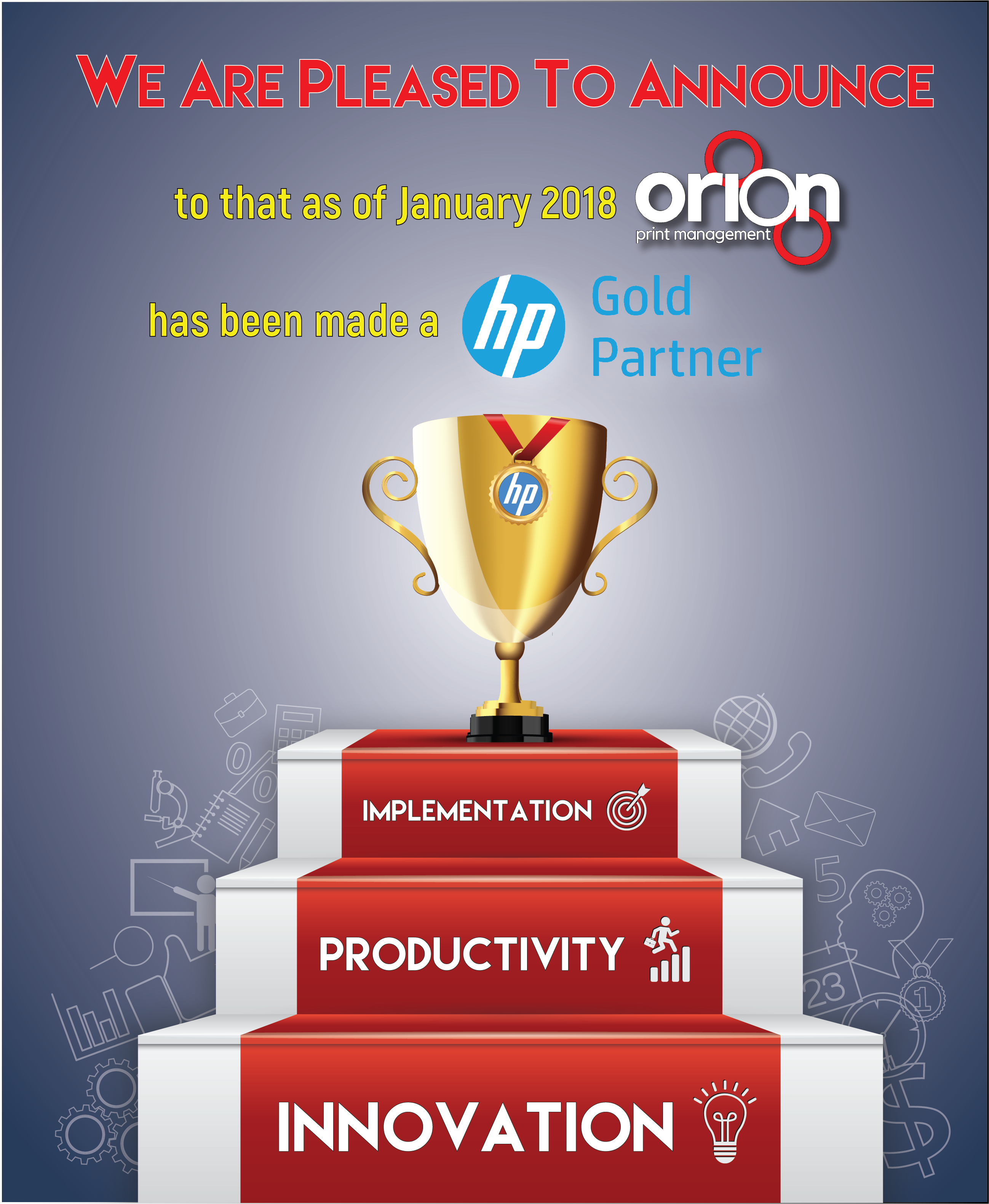
Orion Print Management is now an HP GOLD PARTNER!

Orion Print Management is proud to announce that as of January 2018, we are now Gold Partners with HP Australia! While this is big news for our business, you may be wondering how this will benefit our loyal customers. Holding an HP Gold Partners status gives our clients access to perks such as:

  • Exclusive pricing and other promotions.
  • Direct access to support & expert knowledge from HP professionals.
  • Industry leading software, gaining a cutting edge against their competitors
  • Access to the newest HP technology and equipment
  • & Much More!

If you are interested in learning about our new Gold Partnership with HP Australia, contact one of our experts today!

Arthur GhelisOrion Print Management Is Now Gold Partners With HP Australia!
read more

Managed Print Solutions: How Much is Printing Costing You?

No comments

Printing is an essential part of most business’ workflows, but it can also be one of the hardest areas to track and control associated costs. Fortunately, Managed Print Solutions (MPS) addresses some of the costliest elements of a print strategy and can provide up to a 30 percent reduction in print expenses.

Consider the following business printing scenarios and their corresponding MPS solutions.

•    Lost and abandoned print jobs — Distractions are everywhere, and in a humming office print jobs are easily forgotten or accidentally sent to the wrong device.
MPS Solution: Pull-printing. With access cards or personal print codes, documents aren’t printed until the owner is at the printer to receive them—improving security and reducing unnecessary output.

•    Wasteful departmental printing habits — How much of your printing is front side of the page only? Is colour used when it’s not needed?
MPS Solution: System-wide defaults. From draft mode to black-and-white to duplex printing, cost-saving defaults automate frugal printing behaviour.

•    Rogue individual users — Maybe a few of your team members print every single email, or a few may misuse the company printer for personal needs.
MPS Solution: Assign machines, use print logs, and implement individual usage caps. The insights provided by MPS help identify and reduce costly print habits and streamline individual workflows.

•    Over-printing to meet minimums — Minimum print quantities at many print shops can leave you with boxes of unused, outdated materials.
MPS Solution: Print on demand. Robust in-house printing capabilities can be tailored to your specific printing needs and enable you to print only the number of copies you need, when you need them.

•    Tied-up capital — Printers, scanners, and copiers can build up in an office over time. How much money is trapped in devices you don’t truly need, taking up space you can’t use?
MPS Solution: Fleet optimization and leasing. When you have the right number of the right devices, every dollar is put to best use, and no space or capital is wasted on offsite or in-house storage. Additionally, leasing your equipment helps with cash flow, while providing access to top technologies.

•    Lost productivity — Your staff has better things to do with their time than order supplies, troubleshoot errors, and maintain machines.
MPS Solution: Managed Print Services! This is the core of MPS—taking care of your printing needs so your team can focus on the work that brings your business real value.

If you don’t know exactly how much printing is costing you, it’s definitely time to find out. Contact Orion Print Management to see how much you’re spending on printing, and learn how much Managed Print Solutions can save your business!

Arthur GhelisManaged Print Solutions: How Much is Printing Costing You?
read more

How Print Management Services Improve Business Productivity

No comments

Many IT departments spend much of their time responding to issues concerning their office equipment instead of more productively spending office hours working on projects that truly allows the business to prosper. In fact, many large IT departments spend approximately 25% of their work hours dealing with device management including ordering supplies, equipment repair, new device installation, etc.

Businesses of all sizes constantly seek ways to increase productivity while simultaneously save money. By relieving your IT team of their print management duties, you can significantly improve business productivity. A quick solution would be hiring a qualified print management services company. Print management services work to improve office printing processes that make office print more efficient and cost-effective.

Oversight:

When saving money with print management services, the first step is a comprehensive assessment of the print program in place, including equipment and supplies. When you determine what does and does not work within your current system, the print management experts at Orion can suggest and implement new opportunities to maximize your print solutions. After establishing a print management plan, your print management company will continuously monitor and service your office printers and copiers and keep your office stocked on supplies.

Cost Efficiency:

Many businesses don’t realize how much budget is being consumed by document printing and copying. However, with print management services, your business can regain control of costs and reduce unnecessary expenditures.

Print services will identify ways to reduce hidden costs. Office printers and copy machines are necessary components to office life and require particular supplies and maintenance to avoid downtime. With managed print services, you can identify potential issues and solve them before they become significant problems keeping your employees focus on business strategy rather than print concerns.

Overall Benefits:

Wile cost management is a priority, print management services can provide businesses with solutions that benefit the entire organization. Including increased IT security, workflow solutions, and print fleet management and repair. If you are interested in a cost efficient and highly productive print services, contact Orion Print Management today!

Arthur GhelisHow Print Management Services Improve Business Productivity
read more

The basics of online recruitment for small business

No comments

While online job sites are an efficient and cost-effective platform for recruiting new staff to a small business, it is not as simple as just posting a few quick lines about the role. For the best outcome, it is important to invest some time in crafting a well-structured and targeted job advertisement. 

As part of our series of small business tips, recruitment and careers expert Maria Borg provides advice on how to create job advertisements that attract valuable and appropriate candidates.

So you are looking to hire…

The first thing you need to remember is that an effective job ad is not just a job description. It:

  • Is a professionally written message that generates an appropriate response
  • Attracts the best quality talent and does not leave you inundated with inappropriate candidates
  • Is the start of the recruitment relationship between you, your organisation and your candidate

You need to know your target audience and be able to offer them what they want in a language they understand.

Writing a good job advertisement is not difficult if you follow a clear structure (outlined below) and think hard about the qualities and abilities you want your ideal candidate to possess.

A good job advertisement consists of several equally important elements:

  1. an effective headline
  2. key benefits (usually 3 bullet points)
  3. a brief company profile
  4. a summary of the job itself
  5. a profile of the ideal candidate
  6. any rewards or incentives
  7. your contact details
  8. application closing date (optional)

Here are some tips to sharpen the focus of your ad:

Be very specific.

Be very specific with requirements to allow candidates to compare what is required with their own skills and experience and discourage those with limited skills and experience from applying.

Provide a clear job title (headline) and salary range.

Clearly articulate what skills and experience are essential or desirable.

Describe your company – but not in too much detail.

Take a look at Google search results to discover other commonly used terms that describe the job you’re hiring for and adjust the position title to accurately reflect what a potential candidate is looking for.

Speak directly to the reader.

Avoid phrases like “the successful candidate” or “the ideal applicant” and simply use the word “you”. Also, use colloquial terms common to your candidate’s demographic

Nail the short description.

On average, four times as many people read the short description than actually click through to the ad itself. So put some thought and effort into what you write (using the structure provided).

Ask for a cover letter.

This can provide useful clues to character, education level, and communication style.

Via: http://blog.fujixeroxprinters.com.au/the-basics-of-online-recruitment

Arthur GhelisThe basics of online recruitment for small business
read more

5 Ways SMEs Can Improve Their Business With Professional Quality A4 & A3 Colour Printing, In-House

No comments

In this digital age it’s important to stand out from the competition.  Producing high quality printing helps your company get the professional edge and win more business. First impressions count! Presenting material you can be proud of is definitely going to get you noticed but outsourcing production is time consuming and an expensive chore.

So if outsourcing is not a desirable option the answer must lie in-house.  Or does it? SME’s often express that an A3 and/or a colour printer is just too expensive to purchase for the average office and in-house printing is therefore not an option.  These days though, it is possible to find an affordable colour printer that can meet your professional needs in house.

The cost verses benefits of in-house A4 and A3 colour printing, are not obvious until we look a little closer so in this article we will explore the possibility of printing professional quality A4 AND A3 colour prints in-house to generate more business.

Contrary to popular belief, printing in house is very likely to not only save you money but in most cases also generate more business to so in turn it makes you money.

Consider These 5 Benefits:

1. STAND OUT from your competition

Professional quality brochures, presentations and other documents will help to grow your business.

2. Brand Awareness

First impressions count.  When customers see your marketing and other printed material, you are introducing yourself to them and showing them what to expect from you. The quality of your printed materials should reflect the quality of your business, product or service. It will continue to “sell” your company long after your sales person has left your customers (or prospective customers) premises.

3. Gain Control

By taking printing in-house, you can control when and how you print rather than waiting at the end of the queue for a printing house to get to your job.  Another benefit is that you also don’t have to order large quantities of pre-printed stock (and risk redundancy of information) to keep unit costs down.

4. Cost

A major consideration in taking the step to produce your own professional quality prints is that the cost of printing in-house can be as low as $5.00 per day. This is a considerable saving when compared with engaging the services of a professional printer.

5. Increase In Productivity

Imagine how much more work can be completed, if high quality prints were available from a mobile device your graphic artist has just emailed the final proof to.

The key though is to ensure the device you are printing from allows your staff flexibility and mobility. Your members of staff will want to be able to set their print jobs to their specific needs and pick it up from a convenient spot.  Finding a compact printing solution that provides these benefits AND produces professional quality output will allow your office to enjoy the best of both worlds.

Via: http://blog.fujixeroxprinters.com.au/5-ways-smes-can-improve-their-business-with-professional-quality-a4-a3-colour-printing-in-house

Arthur Ghelis5 Ways SMEs Can Improve Their Business With Professional Quality A4 & A3 Colour Printing, In-House
read more

How To Use Google Cloud Print On A Mobile Device

No comments

Over the last 20 years, the way we work has changed dramatically.  The internet is now a significant part of our every day home and working life.  We live in a mobile world of immediacy and we are used to getting things we want now.

Working on the go can be adapted to mobile printing on the go now too.  With Google Cloud Print, you can safely print anything, from almost any device, to any cloud-connected printer.

The benefits of mobile printing for SMEs include:

  • Quick printing access from a computer, mobile phone or tablet making life easier for all staff on the go and back in the office.
  • Time saving for both staff and your clients.
  • You can make your printers accessible to anyone you choose either at home or work.

Specifically, Google Cloud Print works on your phone, tablet, Chromebook, PC, and any other web-connected device you want to print from.  This means that those who rely on a smartphone or tablet as their main point of communication, can print directly from it wherever they are.   Not only is this groundbreaking, it’s surprisingly easy too.

In today’s article we have broken down the steps for you to start printing from just about any mobile device.

6 Steps To Mobile Printing With Google Cloud Print:

  1. Find a computer in your existing network (desktop or laptop is fine) already connected to a Google Cloud Print enabled printer. Many modern printers are Cloud Print ready but if you are unsure about this you can find an excellent source to connect both classic and Cloud Print ready machines here.
  2. Sign into your Chrome browser.  If you don’t use Chrome as your browser, you will need to set it up and you can find quick and simple instructions here.
  3. Go to the Cloud Print page to add mobile devices to the printer so they match your preferences.
  4. On your mobile device, select and download the appropriate app (both Android and IOS devices have them) but for the purpose of this article, we are looking at Cloud Print which is free.
  5. Cloud Print allows you to open your documents, pictures and emails in Google Drive, Dropbox, Google Calendar and Mail.
  6. Simply send the desired document to the printer that’s linked to your desktop or laptop.  Once you’ve submitted a print job, use the Google Cloud Print management page to track it.

To watch the video on how to print from a mobile device with Google’s Cloud Print step by step in full click here.

Google Cloud Print is completely secure.  Your file is sent safely over the web and Google Cloud Print works from wherever you are.  This could be in the same room or even in a different country thanks to the internet.

Via: http://blog.fujixeroxprinters.com.au/how-to-use-google-cloud-print-on-a-mobile-device

Arthur GhelisHow To Use Google Cloud Print On A Mobile Device
read more